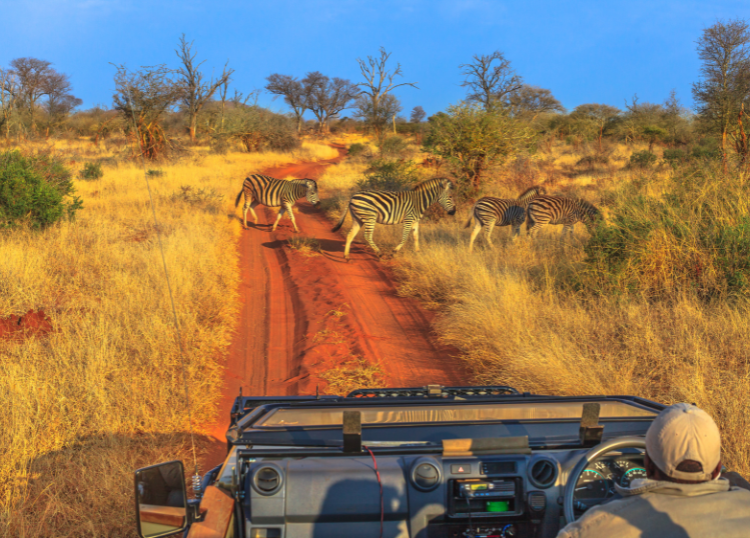
South Africa was made for road trips.
One journey can take you from a major city to mountain passes, farming towns, quiet beaches, wildlife reserves, and long open roads with remarkably little traffic.
That variety is part of the appeal, but it also means drivers need to be prepared.
Mobile apps can help with navigation, road conditions, fuel stops, accommodation, weather, and communication. They can also be useful when plans change unexpectedly hundreds of kilometres from your original destination.
The important thing is to install and configure useful apps before leaving rather than searching for them when you already need them.
Google Maps
Google Maps is an obvious starting point for most South African road trips.
It can help with:
- Route planning
- Turn-by-turn navigation
- Traffic conditions
- Alternative routes
- Fuel station searches
- Restaurants
- Shops
- Accommodation
- Attractions
One particularly useful feature for road trips is the ability to download maps for offline use.
Mobile coverage can become unreliable in remote areas, so downloading relevant areas before departure can prevent navigation problems when your phone loses its data connection.
Download Offline Maps Before You Leave
Don't assume you'll have reliable mobile data throughout the trip.
Coverage can become limited in:
- Mountainous areas
- Rural regions
- Nature reserves
- National parks
- Remote coastal areas
- Long stretches between towns
Download the areas you'll be travelling through while connected to Wi-Fi.
Offline navigation isn't a substitute for proper preparation, but it gives you an additional option when connectivity disappears.
Waze
Waze can be particularly useful when travelling through cities and busier routes.
Its community-based traffic information can alert drivers to changing road conditions and help identify alternative routes.
Depending on available information, the app may provide warnings relating to:
- Congestion
- Road closures
- Incidents
- Hazards
- Other disruptions
For long-distance journeys, Waze can complement rather than necessarily replace other mapping tools.
You may prefer one navigation app for the overall route and another for traffic-heavy sections around major cities.
Tracks4Africa
Travellers heading into more remote parts of Southern Africa may find Tracks4Africa useful.
The platform has long focused on travel mapping and navigation for road trips, overlanding, camping, and destinations away from major urban centres.
It can be particularly relevant for travellers visiting:
- National parks
- Remote regions
- Gravel-road destinations
- Campsites
- Overlanding routes
For straightforward driving between major South African cities, mainstream navigation apps may be sufficient.
For more adventurous itineraries, specialised mapping can provide useful additional information.
SANParks
If your road trip includes South African national parks, the official SANParks resources are worth checking before you travel.
National park trips require different planning from ordinary road journeys.
You may need information about:
- Gate times
- Camp facilities
- Park rules
- Accommodation
- Activities
- Wildlife areas
- Contact information
Download or save important information before entering remote park areas where mobile reception may be limited.
Booking.com
Road trips don't always go according to schedule.
You may decide to stop earlier than expected, stay another night somewhere you like, or change the route because of weather.
Accommodation booking apps can make last-minute changes easier.
Booking.com provides access to accommodation across many South African destinations, including:
- Hotels
- Guesthouses
- Apartments
- Lodges
- Resorts
Always check the property's location carefully before confirming.
A listing described as being near a destination can sometimes be considerably further from your planned route than expected.
Airbnb
Airbnb can provide another accommodation option, particularly for travellers looking for:
- Apartments
- Houses
- Cottages
- Farm stays
- Longer stays
It can be useful for families and groups who need more space or cooking facilities.
For road trips, pay particular attention to check-in arrangements.
Some rural properties may require you to arrive during specific hours or contact the host before travelling to the property.
LekkeSlaap
South African travellers may also want to consider LekkeSlaap when looking for accommodation.
The platform focuses strongly on accommodation within South Africa and can be particularly useful for finding guesthouses, self-catering properties, lodges, and other places to stay outside the country's largest tourism centres.
Having more than one accommodation app available gives you additional options when making an unexpected overnight stop.
Weather Apps
South Africa's weather can vary dramatically between regions.
You might leave Cape Town in cool rain and arrive several hours later somewhere considerably hotter and drier.
Weather information becomes particularly important when routes include:
- Mountain passes
- Gravel roads
- Hiking areas
- Coastal roads
- Flood-prone regions
Your phone's built-in weather application may be sufficient, but specialist services such as Windy can provide additional detail about wind, rain, temperature, and changing weather systems.
Windy
Windy is particularly useful for travellers whose plans depend heavily on weather conditions.
Its visual forecasts can help you understand how weather systems are moving rather than simply seeing a single temperature or rain percentage.
This can be useful for:
- Coastal trips
- Mountain travel
- Outdoor activities
- Camping
- Hiking
- Water-based activities
Weather forecasts aren't guarantees, so always consider local warnings and conditions as well.
Fuel Station Apps
Long-distance driving makes fuel planning important.
South Africa has extensive fuel station networks, but some routes involve long distances between major towns.
Different fuel brands provide apps or digital services that may help users find nearby stations and access brand-specific features.
Even without a dedicated fuel app, navigation platforms can usually locate nearby filling stations.
The important habit is not waiting until the fuel warning light appears before checking where the next station is.
Plan Fuel Stops on Remote Routes
In cities, another fuel station is usually only a short distance away.
Remote road trips are different.
Before driving through sparsely populated areas, check:
- Distance to the next town
- Fuel availability
- Station operating hours
- Your realistic vehicle range
Where possible, refuel before entering long remote sections rather than relying on one specific station being open when you arrive.
Banking Apps
Your bank's mobile application is useful for more than checking your balance.
While travelling, you may need to:
- Monitor transactions
- Approve online payments
- Transfer money
- Manage cards
- Report suspicious activity
Make sure your banking app is working before departure.
You don't want to find out that you've forgotten a password or need additional verification while standing at a fuel station far from home.
Mobile Network Apps
Apps from your mobile network provider can help you monitor data and airtime while travelling.
This can be particularly useful when using navigation throughout the day or uploading photographs and videos.
Before leaving, check:
- Available data
- Airtime
- Bundle expiry dates
- Roaming settings if crossing borders
If your South African road trip extends into neighbouring countries, investigate roaming costs and connectivity arrangements before crossing the border.
WhatsApp remains one of the simplest tools for keeping people informed during a road trip.
You can use it to:
- Share your live location
- Send accommodation details
- Contact hosts
- Communicate with travel companions
- Send updates to family
When travelling through remote areas, consider sharing your planned route and expected arrival time with someone before leaving.
That can be useful if you later lose mobile connectivity.
What3words
Finding an exact location can be difficult in rural areas where conventional street addresses are limited or unclear.
What3words divides the world into small squares and assigns each one a unique three-word reference.
Some accommodation providers, tourism businesses, and emergency services may use these references to communicate precise locations.
It shouldn't replace normal navigation entirely, but it can provide another way to identify a specific position.
A Roadside Assistance App
If you belong to a roadside assistance provider, install its app before travelling.
Depending on the provider and membership, services may include assistance with:
- Breakdowns
- Flat batteries
- Towing
- Tyre problems
- Other roadside incidents
Save the provider's emergency contact details separately as well.
An app isn't particularly useful if you cannot access mobile data when your vehicle breaks down.
Your Vehicle Manufacturer's App
Some newer vehicles have manufacturer apps offering useful functions.
Depending on the vehicle, these might include:
- Vehicle location
- Service information
- Roadside assistance
- Fuel or battery status
- Remote functions
Check what your specific vehicle supports before travelling.
If you're using a rental car, ask the rental company about roadside assistance procedures instead.
Load Shedding and Electricity Information
Electricity interruptions can affect road trips in ways travellers don't always anticipate.
They may influence:
- Accommodation
- Restaurants
- Shops
- Mobile connectivity
- Payment systems
- Fuel stations
Electricity conditions and the services available to monitor them can change over time, so check which current apps or official municipal resources apply to the areas you're visiting.
For overnight stays, it can also be useful to ask accommodation providers about backup electricity.
Google Translate
South Africa is multilingual, and English is widely used in tourism, but a translation app can still be useful.
Google Translate allows language packs to be downloaded for offline use.
It may help when reading signs, communicating simple information, or learning a few local words.
Don't expect automatic translation to handle every expression perfectly, particularly with local slang and context.
Spotify or Another Music App
Long road trips need entertainment.
Download playlists before travelling rather than relying entirely on mobile streaming.
This reduces data use and means your music continues when coverage disappears.
If several people are travelling together, agree on the playlist beforehand.
Few road-trip disputes are as unnecessary as spending 400 kilometres arguing about who controls the music.
Podcast and Audiobook Apps
Podcasts and audiobooks can make long stretches of road considerably more enjoyable.
Download episodes or books before departure.
They work particularly well on long national routes where hours may pass between major stops.
Just make sure the driver isn't listening to anything so absorbing that it becomes distracting.
Save Important Information Offline
Not everything needs a dedicated app.
Before leaving, save or screenshot important information such as:
- Accommodation addresses
- Booking confirmations
- Gate codes
- Emergency contacts
- Insurance details
- Rental car information
- Route notes
- Reservation details
Cloud storage is convenient until you don't have a signal.
Keeping essential information available offline can prevent unnecessary problems.
Don't Depend on One Navigation App
Digital maps are extremely useful, but they aren't infallible.
Navigation systems can occasionally direct drivers towards:
- Poor-quality roads
- Private roads
- Closed routes
- Unsuitable gravel roads
- Routes inappropriate for the vehicle
Before following an unexpected detour, check whether it makes sense.
If your accommodation provider has supplied specific driving directions, those instructions may be more reliable for the final section of a remote route.
Keep Your Phone Charged
All these apps become useless when your battery reaches zero.
A car charger should be standard equipment for a road trip.
A power bank provides useful backup, particularly when:
- Camping
- Hiking
- Visiting remote areas
- Experiencing electricity interruptions
Download maps and media while connected to power and Wi-Fi rather than doing everything from mobile data on the road.
Avoid Using Apps While Driving
Navigation apps should make driving easier, not create another distraction.
Set your destination before moving.
If something needs to be changed, let a passenger handle it or stop somewhere safe.
Mounting the phone securely can also make navigation instructions easier to follow without holding the device.
Final Thoughts
The best apps for a South African road trip are the ones that solve practical problems without requiring constant attention.
Navigation tools such as Google Maps, Waze, and specialised mapping services can help with routes. Weather apps can provide useful information before mountain or coastal journeys. Accommodation platforms give you flexibility when plans change, while communication, roadside assistance, banking, and entertainment apps cover other parts of the trip.
The most important preparation happens before you leave.
Download offline maps, save important booking information, check your roadside assistance details, prepare entertainment, charge your devices, and make sure the apps you intend to rely on actually work.
Then put the phone somewhere secure, watch the road, and enjoy the journey.